Detect sticks, follow boards through a production line and recognise the same board across cameras. Three projects that turn camera images into useful information about the material.
Projects in action
Detect. Track. Identify.
01 / Object detection
Stick detection
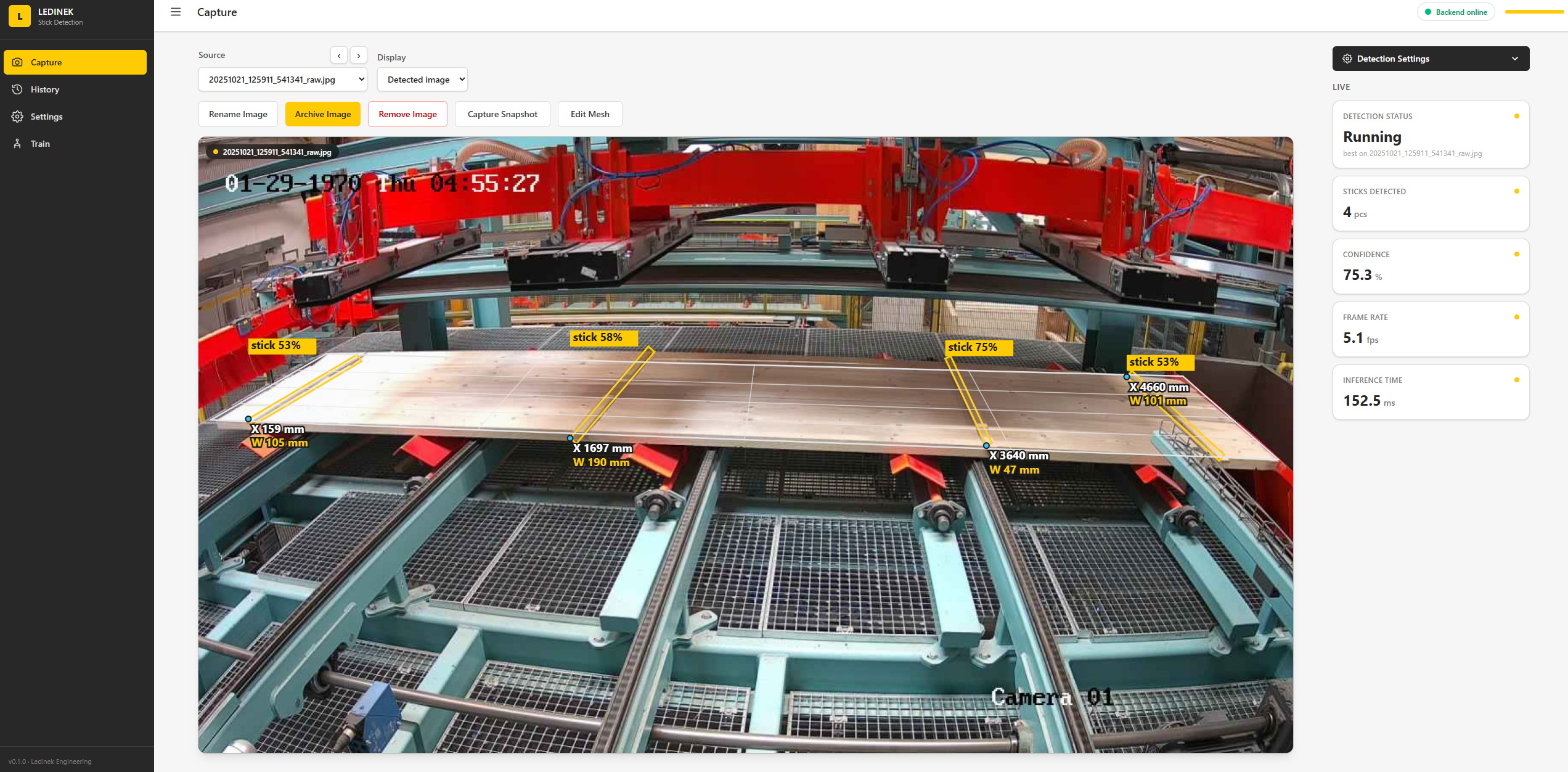
Locate the spacer sticks laid across a layer of timber. The camera image is used to identify each stick and show its position and width, making their arrangement easier to check.
Highlight individual sticks in the camera view.
Display position and width measurements alongside each detection.
Review the detected count and confidence in one interface.
In the image
Four sticks are outlined in yellow on the timber layer. Each detection has a confidence label and X / W measurements in millimetres. The panel on the right shows the detected count, confidence, frame rate and inference time for this example.
Follow individual boards as they move through the camera view. Each board is assigned a tracking ID and a length estimate, keeping the moving material visible as a set of individual pieces.
Follow board outlines as their positions change.
Keep an ID and length label attached to each tracked board.
Show the tracked board count and combined length.
In the video
Boards move along the conveyor while coloured outlines follow them. Labels show each board's ID and length in metres. The “Tracked boards” and “Total length” overlay updates as the set of tracked boards changes.
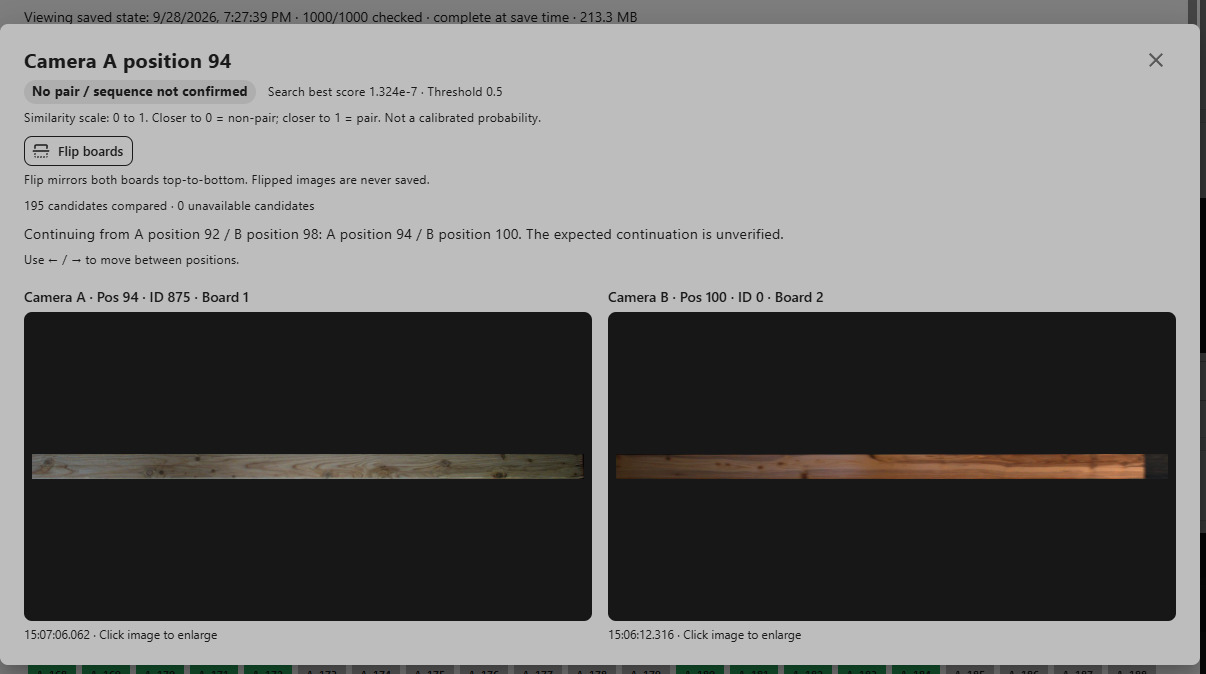
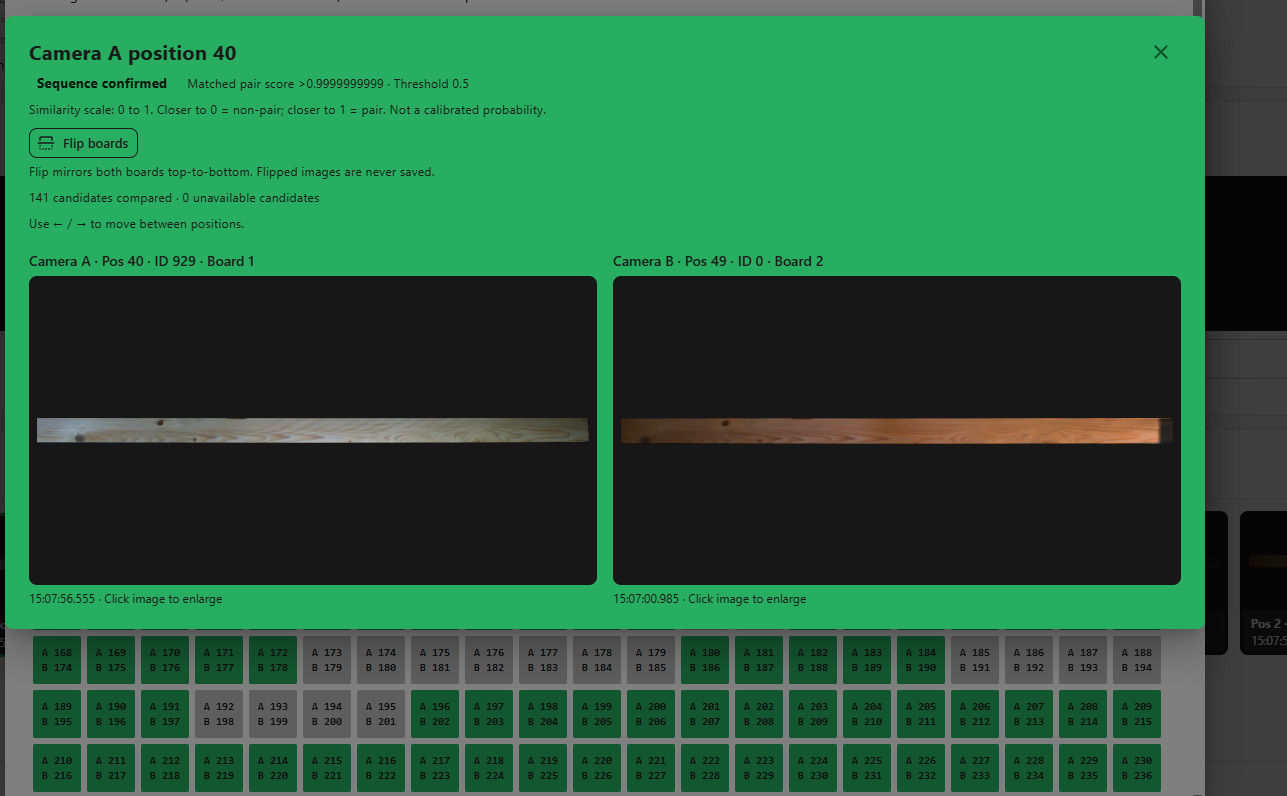
Use a board's natural grain and knots as a visual fingerprint. By comparing images from two cameras, the project looks for the same board at different points in the process, even when the lighting changes.
Compare the wood pattern in Camera A and Camera B images.
Review candidate pairs side by side with a similarity score.
Distinguish confirmed matches from unconfirmed pairs.
No confirmed pair
The grey comparison shows Camera A position 94 beside Camera B position 100. The wood patterns differ, the similarity score is below the displayed threshold, and the result is marked ‘No pair / sequence not confirmed’.
The green comparison shows Camera A position 40 matched with Camera B position 49. The grain and knots correspond despite the warmer lighting in Camera B. The similarity score is above the threshold and the sequence is confirmed.